
InstaPro APK Download for Android
 Shield
 Lookout
 Ad-Block
 Protect

Insta Pro APK is a modified version of Instagram for Android with extra tools the normal app doesn't have. You can save Reels, Stories and photos straight to your phone, read messages without showing "Seen", and lock the app with a PIN. It installs next to the official Instagram, so you don't have to remove anything. Download the latest Insta Pro APK below and set it up in a few minutes.
- App Name
- Insta Pro
- Version
- v15.85
- Size
- 77.48 MB
- Developer
- InstaPro Team
- Category
- Social
- Updated
Table of Contents
- What Is InstaPro APK?
- Features Of InstaPro
- What's New in Insta Pro v15.85
- How to Download Insta Pro APK
- How to Install Insta Pro on Android
- How to Use Insta Pro
- Insta Pro vs Insta Pro 2
- Insta Pro Old Versions
- System Requirements
- Insta Pro for PC and iPhone
- Pros and Cons of Insta Pro
- Common Insta Pro Problems and Fixes
- Frequently Asked Questions
- Best Insta Pro Alternatives
- How to Update Insta Pro
- Is Insta Pro Safe to Use?
- Conclusion
What Is InstaPro APK?
InstaPro is the install file for an Instagram mod made by a developer called SamMods. A mod is the original app with extra features added by someone else. You still log in with your normal Instagram account and see the same feed, Reels and messages. The difference is the extra settings menu packed with options Instagram doesn't give you.
You won't find it on the Play Store, because Google doesn't allow modified versions of other companies' apps. That's why you install the Insta Pro APK by hand instead.
Why People Use Insta Pro
Most people try it for one reason: saving videos. The official app only lets you download some public Reels, and never other people's Stories or photos. Insta Pro adds a download button to almost everything. Others like the privacy side, such as watching Stories without showing up in the viewer list. And some just want a darker, cleaner app without sponsored posts.
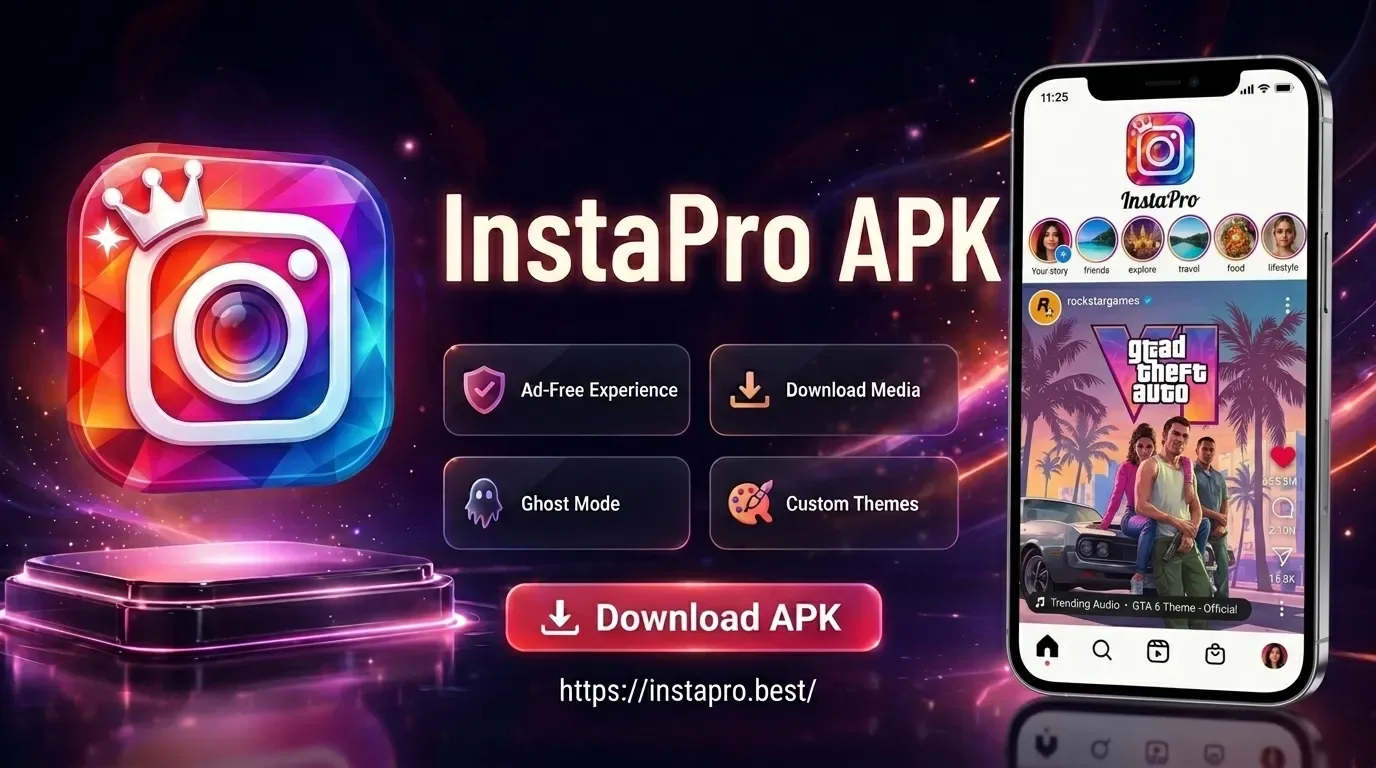
Features Of InstaPro
Download Reels, Stories and Photos
Once the Insta Pro APK is installed, every post, Reel and Story gets a download option. Tap it and the file is saved to your phone's gallery in a separate Insta Pro folder. You can even save a whole carousel post at once.
Ghost Mode
Turn on the hide-view option, and you can watch Stories without your name showing in the viewer list. It's useful when you want to check a story quietly. Just remember that the owner may still see your view later if you turn the option off and watch again.
Hide Seen in Messages
Insta Pro can stop "Seen" from appearing when you read a DM. You can read a message now and reply when you're ready. You can also hide the "typing…" status while you write.
Remove Ads and Sponsored Posts
Your feed and Stories can be cleared of sponsored posts and ads. Scrolling feels quicker, and you only see posts from people you actually follow.
Upload in Better Quality
Instagram compresses photos and videos when you post them. Insta Pro has an option to upload in higher quality, so your pictures stay sharper.
App Lock
Set a PIN, pattern or fingerprint lock just for Insta Pro. Even if someone else uses your phone, they can't open your DMs without it.
What's New in Insta Pro v15.85
The main change in the Insta Pro latest version, v15.85, is a newer Instagram base. Every Insta Pro update follows Instagram's own updates, so new Instagram features show up in Insta Pro too, and old login problems get fixed. If you're on an older build and Instagram keeps logging you out, updating usually solves it.
How to Download Insta Pro APK
The Insta Pro APK download is about 170 MB, so Wi-Fi is the better choice.
-
Open this page on your Android phone and tap Download Insta Pro.
-
Chrome may warn that the file "might be harmful". It says this for every APK, so tap Download anyway.
-
Wait until you see "Download complete". This can take a few minutes on mobile data.
How to Install Insta Pro on Android
You don't need to uninstall Instagram before you install the Insta Pro. It uses its own package name, so both apps can sit side by side.
-
Tap Open on the download message, or find the file in Files > Downloads (called My Files on Samsung).
-
If your phone says it can't install apps from this source, tap Settings and switch on Allow from this source.
-
Go back and tap Install. Because the file is big, it takes a little longer than most apps.
-
Tap Open and log in with your Instagram username and password.
Once it's working, go back and switch "Allow from this source" off again.
Got an older phone? Insta Pro needs Android 9 or newer. On older phones the install will fail, and you'll need an old version from the table below.
How to Use Insta Pro
After you log in, Insta Pro looks almost the same as Instagram. The extra options live in the Insta Pro settings, which you can open from the menu on your profile page. Inside, the options are grouped by type: downloads, privacy, ads, themes and lock. Turn on what you want and leave the rest. To save a Reel, open it and tap the three dots or the download icon. To watch Stories quietly, switch on the hide-view option in privacy first, then open the Story.
A small tip: change one or two settings at a time. If something stops working, it's much easier to find which option caused it.
Insta Pro vs Insta Pro 2
Insta Pro 2 is the same mod with a different package name. That means you can install both and use two Instagram accounts as separate apps on one phone.
| Features |
Insta Pro |
Insta Pro 2 |
|
Features |
Downloads, ghost mode, themes, app lock |
Same features |
|
Install with Instagram |
Yes |
Yes |
|
Install with Insta Pro |
Yes |
Yes |
|
Best for |
Your main extra app |
A second account |
If you only use one account, Insta Pro is all you need.
Insta Pro Old Versions
A new Insta Pro APK can sometimes crash or fail to log in on certain phones. If that happens, an older build may help.
|
Version |
Notes |
|
v15.85 |
Latest, try this first |
|
v15.80 |
Previous build |
|
v15.75 |
Older build |
|
v15.35 |
Older build |
|
v14.70 |
Older build |
Android won't install an older version over a newer one. Uninstall Insta Pro first, then install the old file. Keep in mind that very old builds can stop logging in, because Instagram blocks outdated app versions.
System Requirements
|
Item |
Needed |
|
Android |
5.0 or above |
|
Free storage |
500 MB or more |
|
RAM |
3 GB or more for smooth use |
|
Internet |
Wi-Fi or mobile data |
|
Root |
Not needed |
Insta Pro for PC and iPhone
Insta Pro on PC
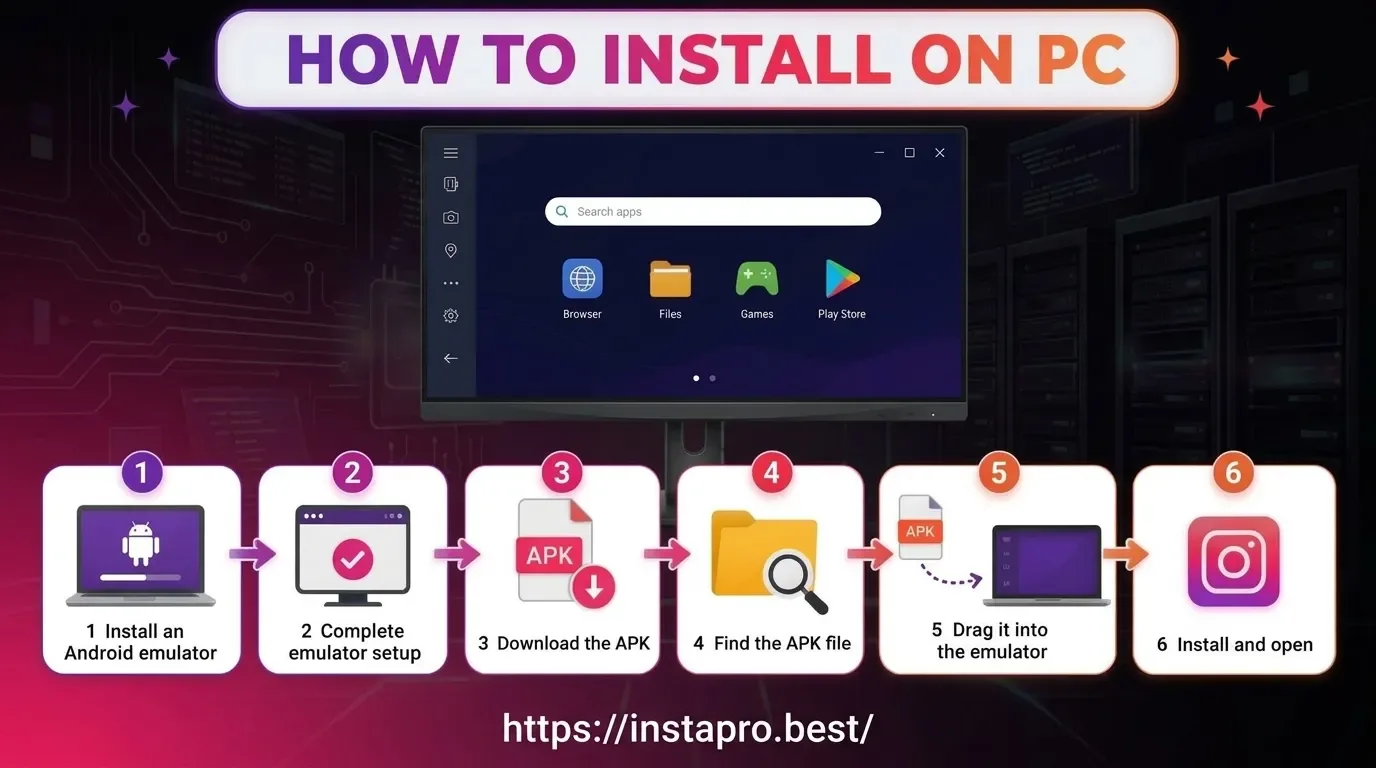
There's no Windows version, but you can run the InstaPro APK in an Android emulator like BlueStacks. Install the emulator, drag the APK into it and log in. Keep in mind that the file is large, so give the emulator enough storage space.
Insta Pro on iPhone
Insta Pro doesn't work on iPhone. iPhones can't install APK files, and there's no real iOS version. Be careful of sites that ask you to install a profile to get "Insta Pro for iOS". They often don't work and can put your phone at risk.
Pros and Cons of Insta Pro
Pros
-
Save Reels, Stories and photos in one tap
-
Hide Story views and "Seen" in messages
-
No sponsored posts in the feed
-
Themes, fonts and app lock
-
Works next to the official Instagram
Cons
-
Not on the Play Store
-
Your Instagram account could get restricted
-
You type your password into a third-party app
-
Updates must be installed by hand
-
No iPhone version
Common Insta Pro Problems and Fixes
|
Issue |
Solution |
|---|---|
|
App Not Installed |
Uninstall any older version of InstaPro installed from a different source. Then install the new APK and ensure your phone has at least 500 MB of free storage. |
|
Can't Log In |
Update InstaPro to the latest version. If the issue persists, try logging in through the official Instagram app and verify your login before trying again. |
|
Suspicious Login Attempt |
Open the official Instagram app or check your email for a security prompt. Confirm that the login was you, then try logging in to InstaPro again. |
|
Downloads Not Saving |
Go to Settings > Apps > InstaPro > Permissions and allow access to Photos and videos or Storage, depending on your Android version. |
|
App Keeps Crashing |
Clear the cache through Settings > Apps > InstaPro > Storage. If the problem continues, disable recently changed settings or install the latest version. |
|
Parse Error |
The APK file may be corrupted, incomplete, or incompatible with your Android version. Download the file again using Wi-Fi and check your Android version under Settings > About phone. |
Frequently Asked Questions
Is Insta Pro APK free?
Is Insta Pro safe to use?
Can my Instagram account get banned for using Insta Pro?
What is the latest version of Insta Pro?
Can I use Insta Pro and Instagram together?
What is the difference between Insta Pro and Insta Pro 2?
Where are Insta Pro downloads saved?
Why can't I log in to Insta Pro?
Can I use Insta Pro on PC?
Best Insta Pro Alternatives
Insta Pro 2
The same features as Insta Pro with a different package name. It's the easy way to use a second Instagram account on the same phone.
Instander
Instander is a popular Instagram mod with media download, ghost mode and better upload quality. It has a clean design and stays close to the original Instagram look.
Honista
Honista focuses on privacy and a lighter design. It offers media download, ghost mode and themes, and some people find it smoother on low-end phones.
AeroInsta
AeroInsta is another mod with downloads, themes and privacy options. It also installs alongside the official app.
The official app is the safest choice for your account. It now lets you download public Reels when the creator allows it, and you can save posts to private collections. It can't save Stories or hide your activity, though.
How to Update Insta Pro
Insta Pro doesn't update itself. When a new InstaPro APP is out, we add it to this page.
-
Download the latest Insta Pro APK from the button at the top.
-
Open the file and tap Update.
-
Open the app. You'll stay logged in, and your settings are kept.
If the update says "App not installed", your old copy came from a different source. Uninstall it and install the new file. You'll need to log in again.
Is Insta Pro Safe to Use?
The Insta Pro APK is not an official app, so you should know the risks before you log in. Your account. Instagram's Terms of Use don't allow third-party apps that access the service in unauthorised ways. Instagram can restrict or suspend accounts that use them. No mod can promise your account is 100% safe. If your main account matters to you, try Insta Pro with a second account first.
Your password. When you log in, you type your Instagram password into an app that Meta doesn't make. Turn on two-factor authentication in Accounts Centre > Password and security, so your account stays protected even if your password leaks. Your phone. Keep Google Play Protect on. Insta Pro needs storage and camera access for posting, which is normal. If a file asks for SMS, contacts or call logs, delete it.
Conclusion
The Insta Pro APP adds the things many people wish Instagram had: saving Reels and Stories, reading messages quietly, hiding sponsored posts and locking the app. It's free and runs alongside the official app. The trade-off is real, though. It's not official, your account could be restricted, and you're trusting a third-party app with your login.
If you're happy with that, download Insta Pro APK v15.85 from the button above. Try it with a second account first, turn on two-factor authentication, and enjoy the extra features.